
01 · Start anywhere
Ask, paste, or attach.
A question is enough. Add a link or a PDF if you have one. You see the plan, and approve it, before anything is written.
iPhone, iPad, and MacOn the App Store
Bring a question, a link, or a PDF. Learnfold builds a course you can explore at your own pace. Every lesson ends with a way to go deeper, so the course follows your curiosity instead of a fixed syllabus.
Build courses free with your own AI on iPhone and iPad, or use Learnfold’s AI from $1 a month. See plans
Try it free for 7 days on Cloud or Studio, then $5 or $19.99 a month. Cancel anytime. How the trial works
Your sources. Your questions. One course you can come back to.

How it works
You stay in charge at every step. Learnfold does the building.
01 · Start anywhere
A question is enough. Add a link or a PDF if you have one. You see the plan, and approve it, before anything is written.

02 · Get a path
Chapters appear on a learning path. Lessons are written section by section, so you can start reading while the rest is still on its way.
03 · Read and play
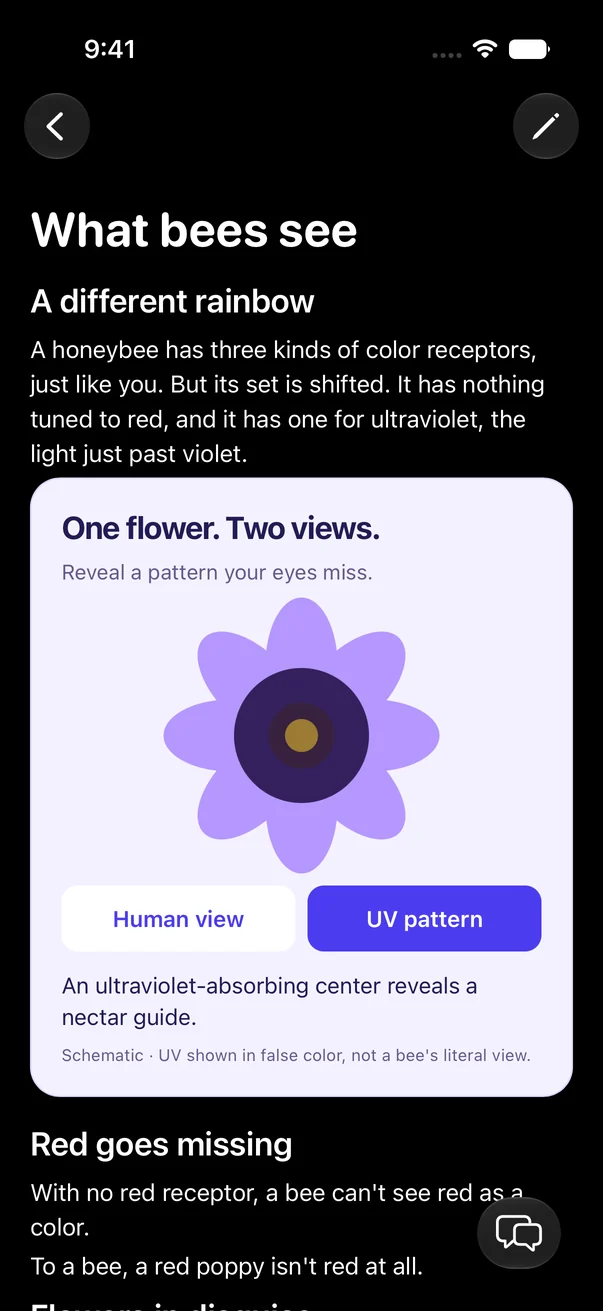
Short pages, with interactive pictures where a picture explains it better than a paragraph.

04 · Check yourself
Optional checks at the end of a page: multiple choice, a written answer, or a guided discussion, with feedback on what you got right.
Screenshots from the current version of the iPhone app, with an example course. Learnfold uses AI to write explanations, so check anything important against a reliable source.
Build in motion · Video tutor
Turn any page into a narrated whiteboard video. When something doesn’t click, pause and ask. The tutor answers about what’s on the board, and can redraw the scene right there until it makes sense.
Part of Learnfold Studio, $19.99 a month, 7 days free*
New · Open-ended exploration
Most courses are a straight line. In Learnfold, the end of every page asks where you want to go next, and the course grows in that direction.

Pick one of the choices and Learnfold writes that page for you, linked to the lesson it came from.

New pages are written in the background. A small banner tells you when one is ready, so you do not have to wait.

The course map shows every page you opened, with a “You are here” marker. Pin a page as a goal, see the questions you have not finished, or combine them into one page.
Ask mid-lesson
You are halfway through a lesson and something does not make sense. Ask right there. Learnfold answers with the page in context. Some answers stay in the chat, some become a page of their own, and you can always tell it which you want.
Try it here
Read a short page, pick where to go next, and watch the answer become a new page in the course. Then follow the next one.
A prewritten example. In the app, pages are written for you, and you can always type your own question.
A piano and a guitar can play the same note, yet sound different. Part of that difference comes from the mix of harmonics in each sound.
That is one small branch. In Learnfold, you can go deeper, sideways, or zoom out from any page.
What you get
Ask with the whole page or a selected sentence as context. Discussions are saved, so you can reopen one later and pick it back up.
Multiple choice, written answers, or a guided discussion. Get feedback, try again, or turn a wrong answer into a conversation.
Fix a sentence yourself, or ask the AI to rewrite a section. Every lesson and note is an editable page.
Paste a link, or attach a PDF, notes, or a document, and the course builds on what you brought.
Continue drops you back on the exact page, and the spot on it, where you left off. Courses and progress can sync across your devices through iCloud. On Mac, read with a course outline and a side discussion.
AI choices
In Learnfold 1.5.11 for iPhone and iPad, use supported Apple models or connect your own AI for free. For a tutor that’s ready to use, choose a Learnfold plan.
Learnfold's own AI service. Ready to use, with nothing to set up: no account or API key.
Apple’s AI, run on Apple’s private servers (Private Cloud Compute). Requires a supported device with Apple Intelligence turned on.
Included for free
OpenAI’s agent, using your own OpenAI API key (a key from your OpenAI account) or another compatible AI service. OpenAI charges you for its use. Course files stay on your phone.
Included for free
An AI agent that you run on your own computer or server. Learnfold connects to it, and it writes the course.
Included for free
Read more
Plain, sourced explanations, and practical guides to learning with AI.
FAQ
An iOS app that turns a question, link, or document into a course you can read, explore, check yourself on, and expand.
No. A question is enough. Links and documents give the course something concrete to build from, but they are optional.
No. You approve a short plan first. Then lessons are written section by section, as you need them, and explorations are written in the background while you keep reading.
Yes. Every explored page links back to where it came from, the course map shows each trail with a “You are here” marker, and Continue returns you to the route you were following.
You choose. Learnfold’s own AI needs no setup and comes with a plan, from $1 a month, with daily usage limits. On iPhone and iPad, free options include supported Apple models, Codex with your own API key, and Hermes on your own server. See what each plan costs.
Yes. Learnfold uses AI to write explanations, and AI makes mistakes. Treat it as a tutor rather than a textbook, and check important facts against a reliable source.
On iPhone and iPad, Learnfold 1.5.11 is free with a supported Apple model or your own AI, including Codex, Hermes, or a compatible API key. Your AI service may charge you separately. Learnfold’s own AI, with nothing to set up, comes with one of three monthly App Store subscriptions, which differ in how much you can use it each day:
Eligible Cloud and Studio subscribers get a 7-day free trial. Lite is billed from the start. Prices are in US dollars. The app shows the price in your currency before you pay. A subscription renews every month until you cancel it in your Apple Account settings. Apple handles billing and refunds. Full details are in the terms, section 3A. For Mac, see Mac availability and pricing.
Yes. Eligible Learnfold Cloud and Learnfold Studio subscribers get 7 days free. Learnfold Lite has no trial.
Apple gives one free trial per Apple Account across Learnfold’s plans. If yours has already had one, the app shows the regular price instead of the trial, so you always see what you’ll pay before you subscribe.
To cancel, open the Settings app, tap your name, then Subscriptions, or go to Settings > Plan in Learnfold. Cancel at least 24 hours before the trial ends and you won’t be charged. Otherwise the plan renews at its monthly price. Deleting the app doesn’t cancel it.
Learnfold is available on the App Store for iPhone, iPad, and Mac. Download it from the App Store.
There is always another question
Learnfold is on the App Store for iPhone, iPad, and Mac.


Build courses free with your own AI on iPhone and iPad, or use Learnfold’s AI from $1 a month. See plans